Local decision engine
Deterministic incident rules run on your machine and show their evidence, caveats and provenance.
KUBERNETES TROUBLESHOOTING · RUNS LOCALLY
When pods restart or readiness drops, Fortem shows the affected namespace and workload. Open pod status, events, logs, resource limits and routing from a local UI connected to your kubeconfig.
Local install · read-only first · no Helm chart
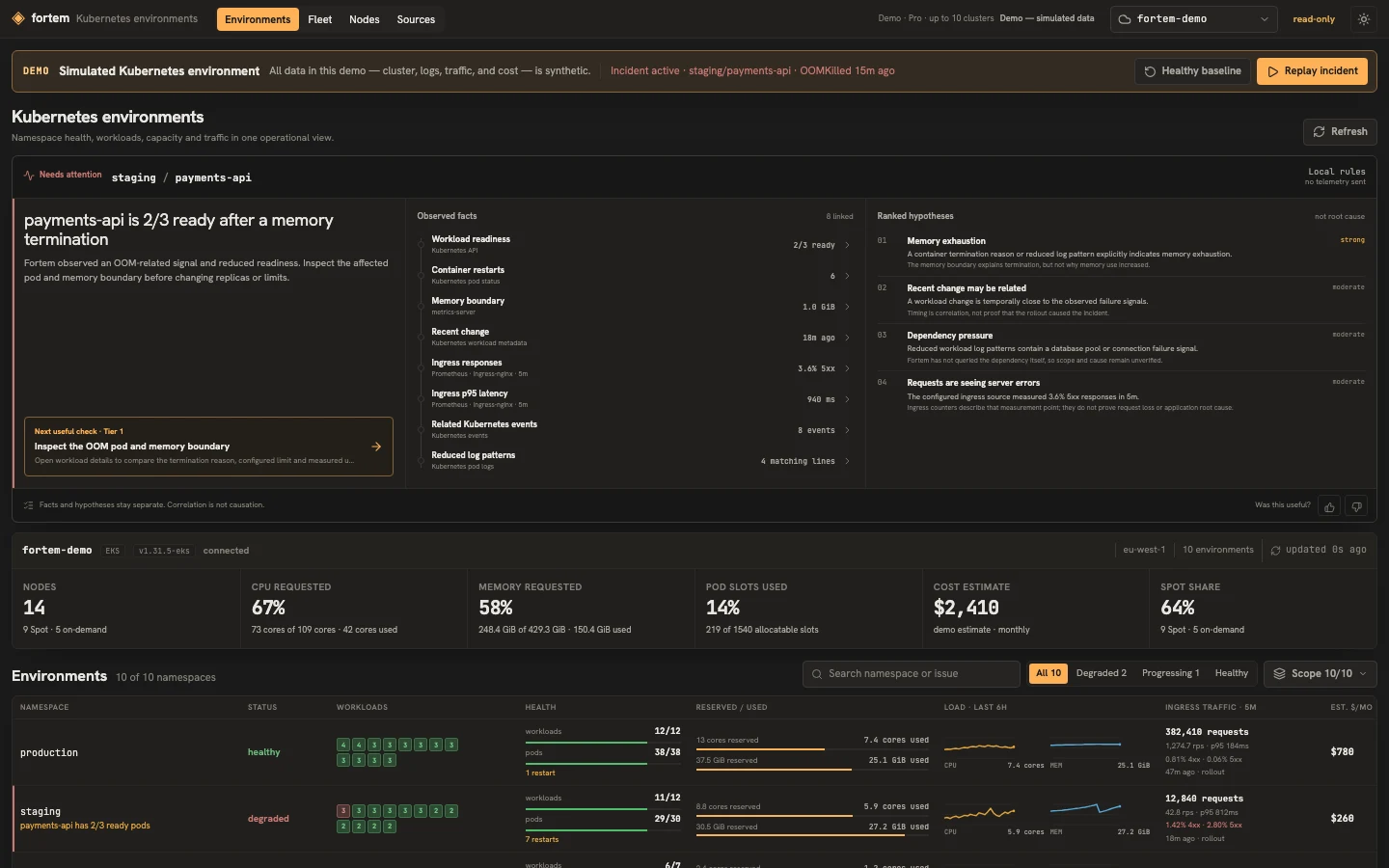
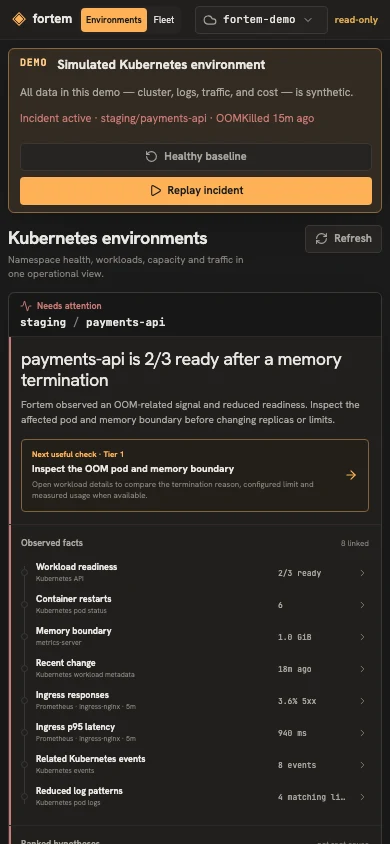
Pod restarted? Readiness dropped? Start with the affected workload.
FROM ALERT TO WORKLOAD
Start from a namespace overview, then open the affected workload. Check restarts and termination reasons beside events, logs, requests, limits and recent changes. Fortem labels possible explanations separately from observed facts and suggests a read-only next check.
Requests are reaching the service, but server errors increased after a rollout.
The termination reason and memory boundary support this explanation.
Strong signal. It explains termination, not why memory use increased.$ fortem --doctor --context platform-productionYOUR MACHINE · YOUR ACCESS
One Go binary, one local interface, and the Kubernetes access already on your machine. The same workflow supports EKS, GKE, AKS, kind and k3s.
WHAT FORTEM CAN READ
Deterministic incident rules run on your machine and show their evidence, caveats and provenance.
An experimental typed ranking layer over Fortem's redacted evidence. It never replaces the local facts or authorizes a mutation.
Namespaces, workloads, pods, images, events, Services, Ingress and EndpointSlices.
Current CPU and memory usage. Core investigation remains available without it.
Compatible ingress-nginx, Traefik or Istio request and error signals, with source and time window shown.
FORTEM FOR TEAMS
Free handles one selected cluster; Pro gives one engineer a local fleet view across up to 10 contexts. Fortem Teams is the paid path for shared access, larger fleets, integration work and support.
Book a Kubernetes engineerPRACTICAL QUESTIONS
No. The local binary reads the Kubernetes API through the context you select from your existing kubeconfig.
Fortem uses standard Kubernetes APIs and supports EKS, GKE, AKS, kind and k3s through an existing kubeconfig. Your cloud auth helper, VPN or private endpoint access, and Kubernetes RBAC still apply.
Free investigates one selected kubeconfig context. A Pro license adds a read-only fleet summary for up to 10 contexts, with each cluster read independently; detailed investigation opens in one selected context at a time.
No. kubeconfig and exec credentials stay in the local Go process. The browser talks only to Fortem on loopback by default.
Yes. Workloads, readiness, pod states, images, events, routes and logs still work. Actual CPU and memory usage is marked unavailable instead of shown as zero.
From an optional Prometheus source with a compatible ingress-nginx, Traefik or Istio profile. Fortem labels the measurement window and source.
The default is read-only. Supported mutations require an explicit --manage flag, exact-target confirmation and a Kubernetes RBAC check.
No in the default local mode. Fortem's built-in deterministic engine runs on your machine. The current BYOK preview lets a user explicitly enable the experimental Jev decision layer; it receives only normalized facts and reduced log-pattern labels, never kubeconfig credentials, raw logs or local object names. Jev ranks bounded hypotheses while Fortem keeps the evidence, caveats, next check and local fallback. A future Pro/Teams gate depends on evaluation.
No account, Helm chart or in-cluster Fortem component. The default stays read-only.
Local install · read-only first · no Helm chart